Pinned Post

Devil May Cry 5

3D Vision and geo-11 fix for Devil May Cry 5. Many thanks to everyone that helped with testing, fixing and counseling (Helifax, DarkStarSword, Schwing, Kaimasta, etc). Update (2023-02-14) : reenabled a fix that I disabled by accident. Fixed one shader related to interlaced mode. Update (2023-02-12) : added geo-11 fix. Fixed TAA (including the temporal part of reflections), motion blur and interlaced mode in a more proper way. Fixed volumetric lighting clipping. Configured autoconvergence. HUD adjustments. Fixed some other minor problems. Stereoized vignette (if you enable the effect). Update (2022-01-11) : fixed TAA and interlaced mode, fixed lens flares, improved radial blur, stereoized more specular reflections, optimized regexes, put the clipping area of volumetric lighting to full depth (especially helps cutscenes), fixed more haloing problems, and fixed some fog related to volumetric lighting. Update (2019-12-21) : fixed volumetric lighting. Some glass now has realistic depth for ...

Yakuza 3 Remastered


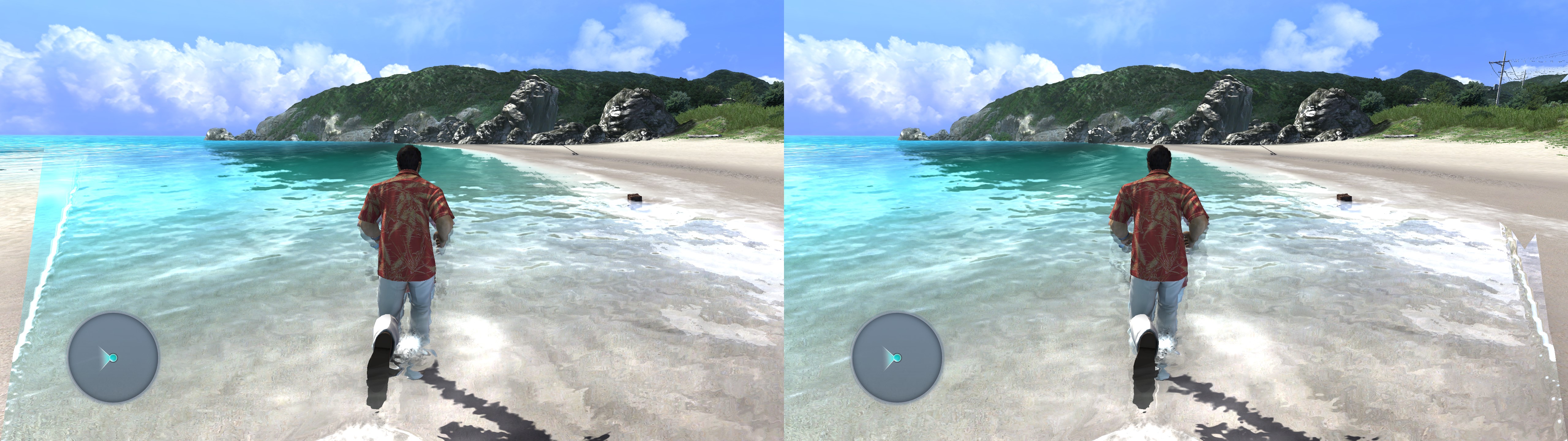
3D Vision fix for Yakuza 3 Remastered.

Update (2021-03-10): reuploaded the fix with some code in "d3dx.ini" that I had commented by mistake in the first upload. Please, redownload the fix if you did it before this date.

Fixed
- Shadows.
- Nightclub lights.
- Haloing problems.
- Water effects.
- Stereoized specular reflections, only for water shaders.
- Automatic low convergence (0.5) when the cutscene depth of field shader is present.
- Added a depth of field toggle (F4).


Known issues
- Drinks inside glasses (which appear only in cutscenes) are imperfect at their surface.
- Aura effects and highlighted items can show clipping problems (the effects themselves aren't wrong). I couldn't fix this.


Installation
- Download this file and extract its contents in the "Yakuza 3" folder, where "Yakuza3.exe" is.
- Run the game and let it overwrite the profile the first time.


Hotkeys (numbers aren't from the numpad)
F1: convergence presets (0, 0.5, 1, 2). 2 by default.
F4: depth of field toggle (cutscenes and first person mode). Not disabled by default.


Recommendations
- Use the "Auto" ingame fps limit, because the "60" fps limit makes everything below it run in slow motion. And at this date, you're going to get low fps in crowded outdoors locations.
- I recommend using the mod that restores the original licensed music and better video cutscenes.


If you liked the fix and want to contribute for more future fixes, you can donate to this PayPal account: masterotakusuko@gmail.com

Comments

Popular Posts