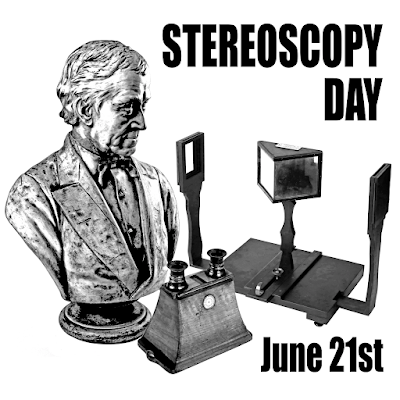
Today is International Stereoscopy Day, which is the celebration of the day that Sir Charles Wheatstone officially presented the first working stereoscope in June 21,1838.
This seems like the most fitting occasion to announce the release of a new 3D driver that is a replacement for 3D Vision for DX11.
geo-11 v0.6.56
Let's get into some details:
Wait, what? - It's a full replacement for NVidia 3D Vision for DX11 games. It will create 3D out of thin air. We are calling it geo-11 as it does create geometric 3D for DX11.
Who do we thank? - This was developed from scratch by one of our amazing developers, davegl1234. He did a clean sheet design, and started with 3Dmigoto to handle all the hooking and shader manipulation. It will therefore be pretty familar, because it follows the same install and use approaches. If you'd like to support Dave, please use his patreon.
Does it work? This is a work in progress. We'd consider this to be beta caliber. It's working in a lot of cases, and UE4 games are perfect. But there is still a lot left to do. It's going to crash, it's going to draw things wrong, it's not flawless. We've only really tested maybe 80 games or so.
What about HelixMods? The goal is to be byte-compatible with all of our current fixes. So it loads and uses any HelixModBlog DX11 fix directly, and will generate images that are nearly identical to 3D Vision. There are still glitches in some games, and it won't load in some others.
What about framerates? The performance is very good. Because this is a clean-sheet design, it doesn't suffer from the so-called 3-core bug. That means you can get much better performance in previously CPU limited games. In everything we've tested, it's higher performance than 3D Vision.
What about new drivers? It runs on current drivers, and in fact any drivers. It has no requirement for any NVidia software, and it has been shown to run on AMD cards.
Can I use 3D Vision glasses? You can. Up to driver 452.06 we have two different outputs, dx11 and dx9 NVidia DirectMode. Including a DX9 windowed mode. Any driver past that, you can use DX9 output as long as the game is in fullscreen mode. These modes require the 3D Vision Driver.
Will it be open-source? Current plan is to make it open source with a restrictive license so that it cannot be used commercially. We still need to work out some details.
How about projectors or 3D TVs? It also has SBS, TAB, and Interlaced output available, so you can select what your output device needs. Use TAB if you have the choice.
Can I help? Definitely. Do testing in whatever games you like, but please let us all know the results of your tests and what you tried. We'd like everyone to make new threads on mtbs3d.com, one thread per game. This will really help us understand and fix bugs.
What about suggestions? We'll have a post on mtbs3d.com for geo-11 itself, as general suggestions, requests, and recommendations. We are using mtbs3d forums because we want something that we can link to, and can act as documentation as we answer questions.
It's spring. Actually, we're doomed, right? No, no, this is a real thing, and we now actually have a future that we control.
Gimme, please! Absolutely. Above is a link to our latest build. Everyone is welcome to try it out on any game they would like. Please help us by providing feedback on mtbs3d.com.
Technical details and use:
For best results and simplest startup, install driver 452.06, and install the 3D Vision Driver if you use that hardware for 3D. Simplest way to do that is via 3DFM/HelixVision. geo-11 works with later drivers, but you will still need the 3D Vision Driver installed for 3D Vision hardware. Start with this known good, working, setup, and only add complexities like later drivers once you have it working.
Start with a game that is known good, known working. Witcher 3 is a good choice, and the list of games below should all work well. Don't add complexity like unknown games until you know it's working with your setup.
Currently we have no 3DFM/HelixVision support, so we have to do things manually.
To install a fix that is noted as being a geo-11 specific file, just drag all the files into the game.exe folder. masterotaku has a batch of these on the blog, but the downloads are clearly marked. These are already setup to work using geo-11 and optimized defaults. You can find all geo-11 posts by labels in the lower left of blog pages.
For doing an installation of a previous HelixMod fix, here are the steps to use:
1) Install the HelixMod fix. Download from blog post, or if you already have an installation that's working. Best to test that it's working, and game didn't break, or some other freaky thing. It's OK to use 3DFM/HelixVision to install and test this part.
2) Open geo-11 zip file, and drag in three files from the proper x32 or x64 folder that matches your game bitness. You want d3d11.dll, nvapi64.dll, d3dxdm.ini. Ignore other files and folders in the zip file, they are used when making new fixes.
3) Edit the d3dx.ini file, and change force_stereo=2. That turns on the geo-11 code.
4) Optional: change upscaling=1 in d3dx.ini if you need it for your setup. Like you would use this to upscale to a 4K TV but game runs at 1080p.
5) Default output settings are to use direct_mode=sbs. For any 3D hardware that supports SBS like projectors, 3D TVs, Virtual Desktop, Big Screen. Use tab if you can, it's better quality because of no horizontal compression.
6) Using direct_mode=nvidia_dx11, you can use 3D Vision hardware. This mode required no later than driver 452.06, and requires 3D Vision Driver installed.
7) There is another output mode of direct_mode=nvidia_dx9 which will work on latest drivers. It requires 3D Vision Driver installed. That means 3D Vision hardware and frame-sequential output will work on 30xx cards because it won't require an old driver.
8) Latest version includes HelixVision support via the katanga app. It will require manual startup via command lines or shortcuts. 3DFM/HelixVision updates for one-click play are several months out.
A key new file is d3dxdm.ini which is a new config file for geo-11 itself. In that file you can find default settings of interest.
- Stereo mode output type: direct_mode = sbs
- Separation: dm_separation = 80
- Convergence: dm_convergence = 3.0
- Hotkeys for changing 3D generated: e.g. [KeyIncreaseSeparation] Key=ctrl F4
- Frame rate display counter: show_fps_monitor = true
- Auto convergence setting: dm_auto_convergence = 0
And lots of the other usual cryptic stuff in the ini files.
One key thing that needs to change on a given fix is that you need to set force_stereo=2 in the normal d3dx.ini file to enable geo-11. Also, you might need to force upscaling=1 in the d3dx.ini depending upon game and situation. Generally you should be able to upscale from a game resolution to a native device resolution.
If you drop the files over top of a working HelixModBlog fix, you'll want to avoid overwriting the d3dx.ini file, but insead edit it for force_stereo=2. If you drop the fix files into an unknown game, the defaults should suffice.
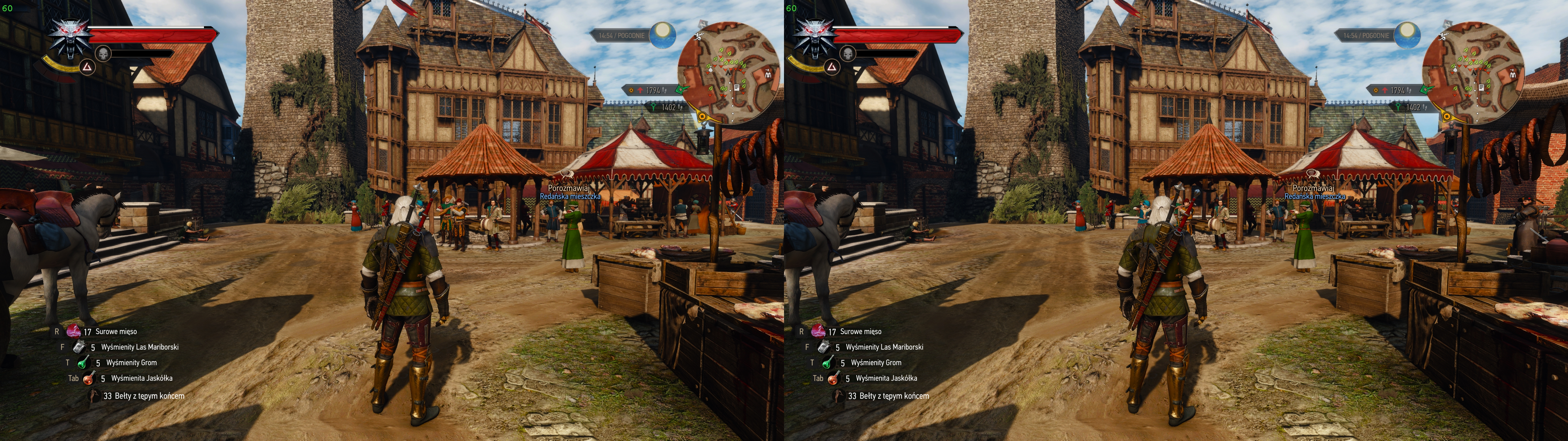
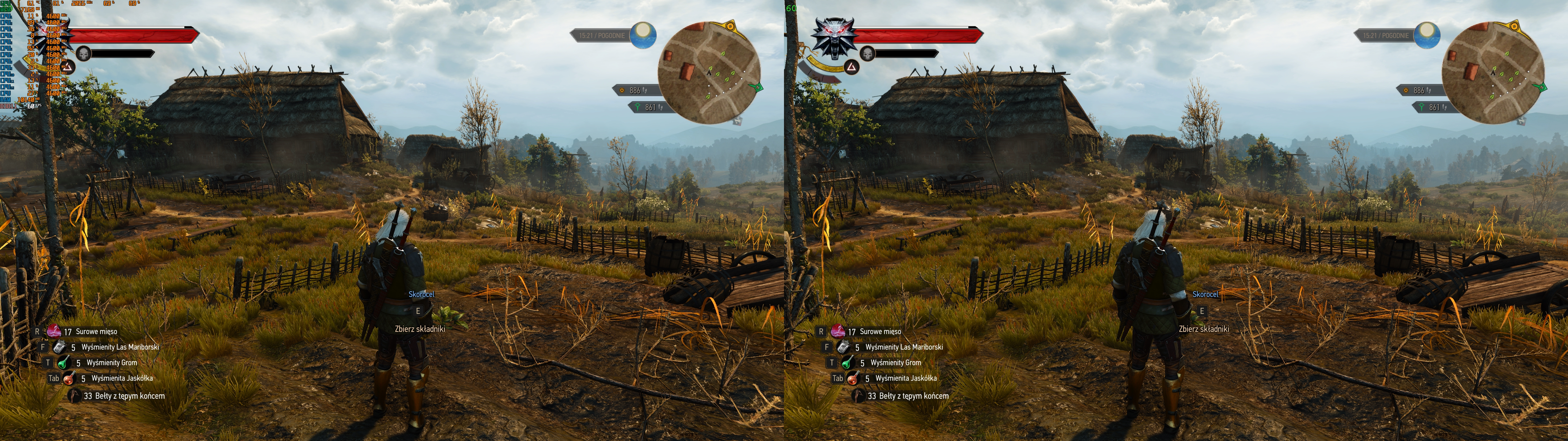
Geo-11 output for Witcher 3- impressive, no?
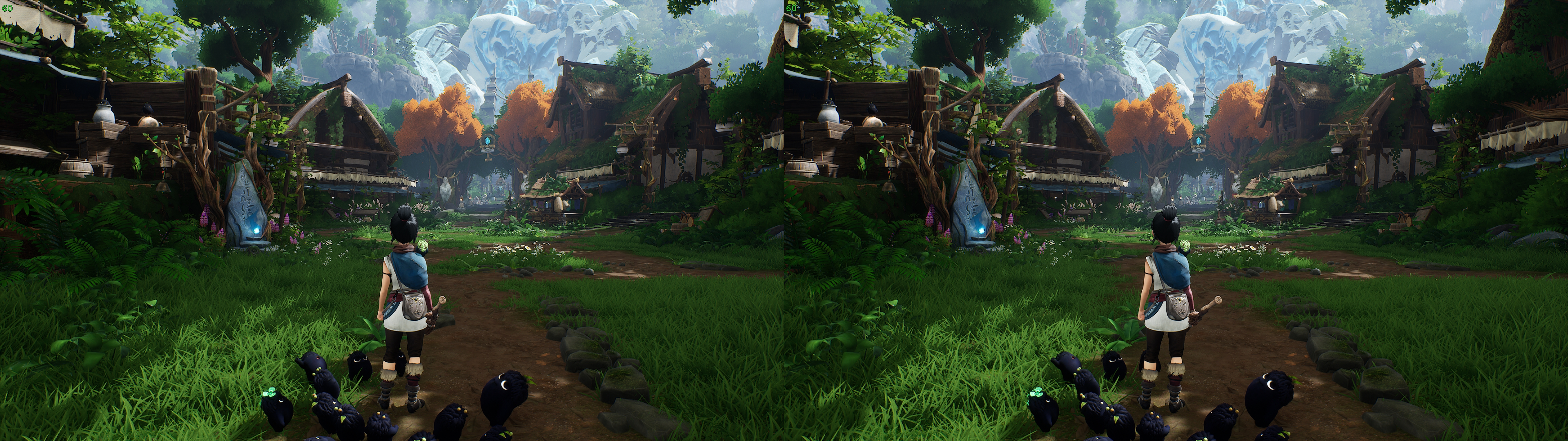
Kena:
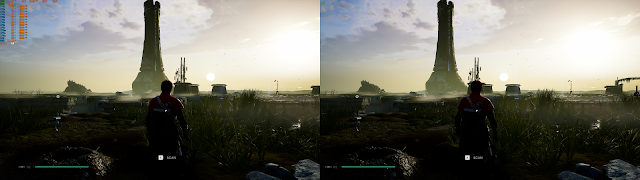
Jedi: Fallen Order
FAQ:
Any DX12 support? No, sorry, DX12 is a completely different ballgame, and is going to require as much effort as geo-11+3Dmigoto has. No current plans, but in HelixMod never say never.
Will it work with DirectMode games? It will. We know for sure it works in GTA5, see mtbs3d for details on how to set it up. Tomb Raider, DeusEx, Trine, and others will work, but will need a special texture map, so please be patient.
What drivers work? Any drivers now. One test on AMD was working, and Linux with Proton also works. There is some complexity on Nvidia output modes that require different drivers.
Modes that work for any driver, including AMD and Linux. No 3D Vision Driver.
Set the direct_mode in d3dxdm.ini
- sbs
- tab
- sbs_reversed
- tab_reversed
- interlaced
- interlaced_reversed
- checkerboard
- checkerboard_reversed
- katanga_vr: Works on any VR headset using the katanga app from HelixVision.
Special modes that require 3D Vision Driver. Easiest to install using 3DFM or HelixVision.
- nvidia_dx11: Works up until 452.06. Fullscreen mode does not work.
- nvidia_dx9: Works on any driver. Mostly. Works best on 452.06 with upscaling=0. Any driver past 452.06 requires game to be in fullscreen mode.
Version v0.6.56:
- Interlaced and CheckerBoard modes added.
- All _reverse modes added, e.g. sbs_reversed, interlaced_reversed.
- BattleField 3 working in experimental 3D spoofing. No settings needed.
- Upscaling fixes.
- allow_platform_update=2 allows any SwapChain now. Helps 2022 Unity.
- Fix exit crashes for UE4 in nvidia_dx9.
- SyncInterval and Flags now available to override.
Version v0.6.38:
- Documentation for experimental regex modes.
- DX11 SwapChain and Present overrides now possible via d3dx.ini
- More compatibility with games, and fixing crashes.
- Improved nvidia_dx9 output working on more games.
- Experimental allow_platform_update=2 mode to not return errors to games.
- Added [Stereo] var to allow finer control over steroization.
Version v0.6.24:
- Fix overlay for nvidia_dx9 output mode.
- Crash fix for Walking Dead DE.
- Experimental async regex for stutters.
- Evil Within 2 shader, upscaling, mouse, resolution fix.
- New option allow_platform_update=2 for The Division crash.
- aspect ratio overrides that might help non-stereo textures.
- Crash fix for In Sound Mind, might help other Unity games.
Version v0.6.10:
- Set direct_mode=sbs as default. More compatible, best starting spot.
- show_fps_monitor=false as default, as some crashes are avoided.
- Added direct VR support with direct_mode=katanga_vr
- Force BackBufferCount=3 for nvidia_dx9 output mode.
Some of the games that we've tried that are known working well:
Tagged geo-11:
- Klonoa Phantasy Reverie Series
- The Witcher 3: Wild Hunt
- Halo: The Master Chief Collection
- The Legend of Zelda: Ocarina of Time
- Serious Sam 4
- Serious Sam: Siberian Mayhem
- Final Fantasy XV
- PCSX2 (PlayStation 2 emulator, 184 games)
- God of War
- Dark Souls: REMASTERED
- Final Fantasy VII Remake Intergrade
- Days Gone
- Ori and the Will of the Wisps
- Ni no Kuni Wrath of the White Witch™ Remastered
- Dragon Ball FighterZ
- Dragon Ball Xenoverse 2
- Bloodstained: Ritual of the Night
- Final Fantasy IX
- SEKIRO: Shadows Die Twice
- Dark Souls III
- Dark Souls II: Scholar of the First Sin
- Ori and the Blind Forest: Definitive Edition
Reported working on forums:
- UE4 games in general
- Batman Arkham Knight
- Borderlands 3
- Grand Theft Auto V
- Headlander
- Psychonauts 2
- Star Wars Jedi: Fallen Order
- The Outer Worlds
- The Witness - UE4



Comments
Post a Comment